Opening Reciply
Your kitchen is almost ready.
Opening Reciply
Your kitchen is almost ready.
The Problem These Apps Are Trying to Solve Recipe websites are built around the assumption that you will shop for a dish. Real cooking works the other way: you have a fridge full of half-used ingredients and you need dinner from them. "Ingredient-first" apps invert the search — you tell them what you have, and they tell you what to make. They fall into three technical categories, and knowing which is which explains why some feel magical and others feel useless.
The Three Types 1. Database matchers These search a fixed library of human-written recipes and rank them by how many of your ingredients they use. Strength: every recipe has been tested by someone. Weakness: if your combination is unusual, you get results demanding four things you do not own, or nothing at all. 2. AI generators These write an original recipe for your exact ingredient list. Strength: they always return something usable, they respect constraints like time, equipment, diet and calories, and they handle odd combinations gracefully.
Weakness: output quality depends entirely on the model and the guardrails around it — weak implementations invent ingredients you never listed or give implausible cook times. 3. Pantry trackers These focus on inventory and expiry dates, then suggest recipes from what is tracked. Strength: excellent for reducing waste. Weakness: they only work if you diligently log every purchase, which most people abandon within a fortnight.
What Actually Makes One of These Apps Good It uses your ingredients, not a wishlist. If a suggestion needs five things you do not have, it has failed. It respects real constraints. Time, equipment, dietary needs, servings and skill level all change the correct recipe. It adds only sensible staples. Salt, oil, butter, garlic, onion, flour, stock — fine. Miso paste, pomegranate molasses and gochujang — not fine unless you said you had them.
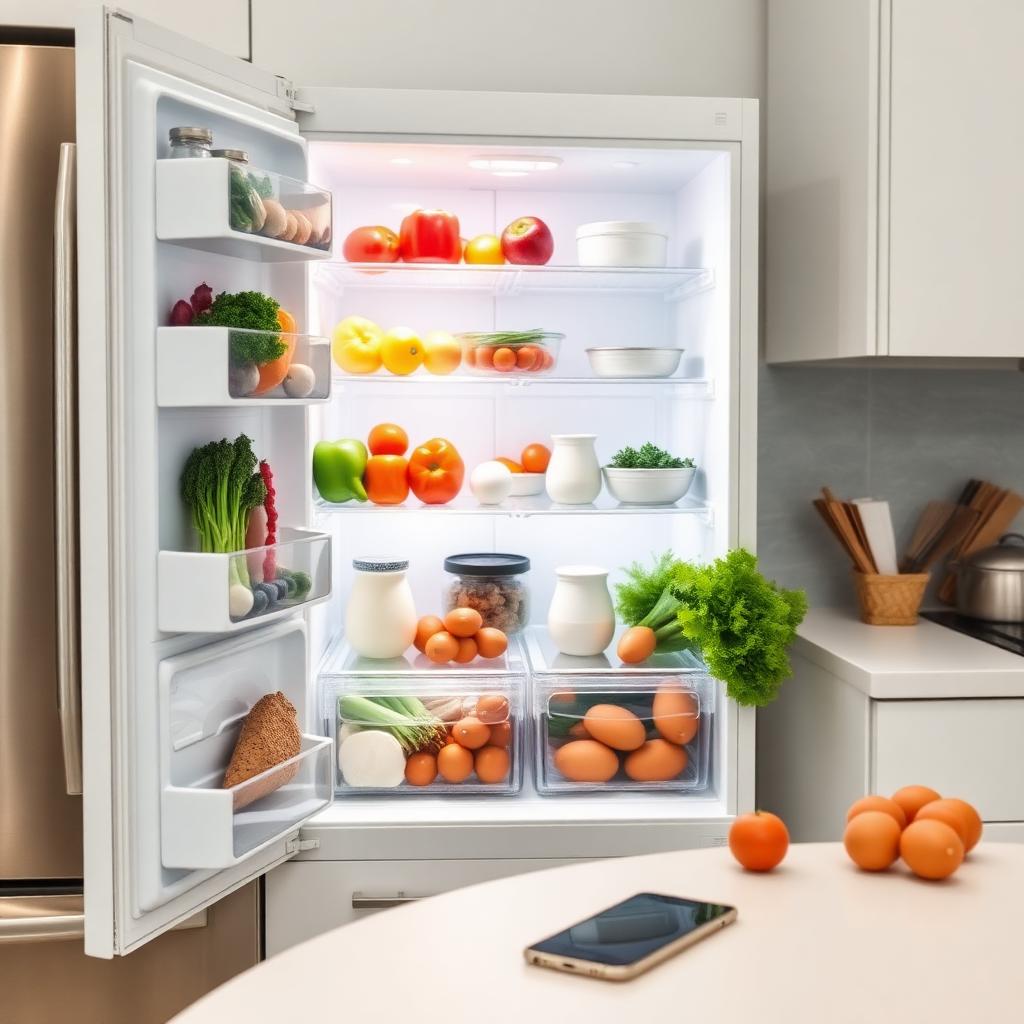
The cook times are physically correct. This is where thin implementations fail most visibly. It shows nutrition. Calories and macros turn a recipe into a decision you can make. You can refine without starting over. "Make it dairy-free", "cut to two servings", "one pan only". It works on your phone, in the kitchen, with wet hands. Large type, step view, screen that does not sleep. Photo Scanning: Useful, With Caveats Several apps now let you photograph the inside of your fridge and detect ingredients automatically.
In practice it works well for recognisable whole items — vegetables, fruit, eggs, packaged staples — and poorly for anything in an opaque container or hidden behind something else. Treat the detected list as a first draft you edit, not as a final inventory. Used that way it genuinely saves typing; trusted blindly it produces recipes built around ingredients you do not have. Free vs Paid: What You Should Expect to Pay Most ingredient-to-recipe apps run a free tier with a daily generation limit, then charge somewhere between $2 and $10 a month for higher limits and extras like dietary filters, cuisine selection, meal planning, shopping lists and offline access.
As a benchmark: if an app saves you one takeaway order a month it has paid for itself several times over, so judge on output quality rather than on price. How to Test Any App in Five Minutes Run the same three inputs through anything you are considering: The minimal test: "milk, chocolate, butter". A good app makes hot chocolate, a simple ganache or chocolate butter sauce. A bad one adds crackers, cream and eggs and produces a five-component dessert.
The awkward test: "chickpeas, sweet potato, tahini, spinach, 25 minutes, vegan". Checks constraint handling. The precision test: "chicken thighs, rice, 600 calories, air fryer". Checks whether equipment and calorie targets actually change the output. Any app that passes all three is worth keeping. Most fail the first one, because restraint is harder to build than abundance. Habits That Make Any of Them Work Better Do a fridge inventory once a week rather than logging every purchase.
Generate around the ingredients closest to going off first. Save the recipes that worked so you build a personal cookbook rather than regenerating forever. Keep a standing list of your pantry staples so you only have to type the variable ingredients. Where Reciply Fits Reciply is an AI generator with deliberate guardrails: it builds the recipe around the ingredients you actually listed, adds only basic pantry staples, respects cuisine-appropriate techniques and cook times, and returns nutrition plus an A–F health grade with every result.
It is free to start with 3 recipes, includes a fridge photo scan that suggests several different meal options rather than cramming everything into one dish, and offers an optional Reciply Plus subscription for people who cook every day. Try it with the three tests above and judge it on the output. What does Reciply cost? Reciply is free to use . Every account starts with 3 free recipes — no credit card needed — including Quick Cook, SmartCook, Fridge Scan, recipe photos, nutrition and A–F health grades.
Saving, sharing and browsing community recipes stay free. If you cook often, Reciply Plus is an optional subscription for $1.99/week or $19.99/year . Both plans include 20 new recipes every week plus every kitchen tool. You can cancel any time. See Reciply pricing for details. Use it on the web at reciply.us or download the free iOS app: Reciply — Recipe Generator on the App Store . Note: Reciply is an AI recipe generator that writes original recipes from the ingredients you have.
It is not a recipe-saving, bookmarking, or cookbook-importing app, and it is not related to any similarly named recipe-organizing app. Kitchen tools you can use in Reciply All of these are live in the app today. SmartCook — type in what is already in your fridge and get a recipe built around it. Free. Recipe Generator — pick meal type, cook time, difficulty and dietary goal. Free. Fridge Scan — photograph your fridge and get five meal ideas from what it sees.
Free. Recipe Gallery — browse, rate and comment on community recipes. Free. Recipe Remix — change one thing about a recipe and regenerate it, image included. Plus. Cook Mode — step-by-step cooking with built-in timers and a screen that stays awake. Plus. Meal Planner — build a multi-day plan around your calorie and dietary targets. Plus. Shopping Lists — turn any recipe or meal plan into a checkable list with duplicates merged.
Plus. Diet Coach — log calories and macros and get told what to cook next. Plus. Offline Recipes — download your cookbook so it works with no connection. Plus. Sources USDA FoodData Central — reference nutrient data used to sanity-check the calories and macros shown on Reciply recipes. FoodSafety.gov — Safe Minimum Internal Temperatures — the cooking temperatures referenced for meat, poultry, fish and eggs.
Dietary Guidelines for Americans — the general nutrition guidance behind our A–F health grading. USDA FSIS — Leftovers and Food Safety — storage and reheating guidance for leftovers. Nutrition figures and health grades on Reciply are estimates cross-checked against public databases, not lab measurements, and are not medical advice. See how Reciply works .
Home · Blog · What is Reciply
Try Reciply free and generate recipes from your ingredients. It is an AI recipe generator that writes original recipes from your ingredients — not a recipe-saving or cookbook-importing app. Free iOS app: Reciply on the App Store.